
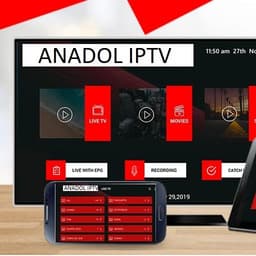
Screenshots
About ANADOL IPTV
Stream live TV, movies, series, and catchup content with ANADOL IPTV, the powerful Android IPTV player built for seamless media playback. This app transforms how you consume your own IPTV content with a fast, reliable platform designed for both casual viewers and power users.
Enjoy full control over your streaming experience with an intuitive, user-friendly interface that puts your content front and center. The built-in IPTV player delivers smooth HD playback without lag, while external player integration gives you flexibility to use your preferred media players. Dynamic language switching ensures you can navigate in your preferred language, and embedded subtitle support makes content accessible in any tongue.
Parental controls empower you to manage what family members can access, creating a safe viewing environment for all ages. The Electronic Program Guide (EPG) keeps you informed about scheduled content, so you never miss your favorite shows. Whether you're catching up on missed episodes or enjoying live broadcasts, the attractive layout and intuitive design make navigation effortless.
ANADOL IPTV is optimized for performance, delivering the speed and stability serious IPTV users demand. The platform supports custom branding, making it ideal for content providers and resellers looking to offer a white-label solution.
Note: ANADOL IPTV is a player application only. You must provide your own IPTV content and subscriptions. The app does not supply media, streams, or IPTV services, and has no affiliation with third-party providers. Users are responsible for ensuring they only stream content they have rights to access.
Pros & Cons
Pros
- Built-in IPTV player with smooth HD playback and minimal lag
- Parental controls let you restrict content access for younger viewers
- Electronic Program Guide shows scheduled broadcasts so you don't miss shows
- External player integration gives flexibility to use your preferred media apps
Cons
- Requires you to source and subscribe to your own IPTV services separately
- You are solely responsible for ensuring streamed content is legally accessible
- No built-in content library — app is a player only, not a streaming service
- Android-only; no iOS or desktop version available
Related Apps

AMCap
Video capture software with flexible compression, deinterlacing, and TV tuner control for Windows.

HandBrake
Free video converter for MP4, MKV, WebM, DVDs, and Blu-rays with advanced codec and device presets.

Pixel Force Left 4 Dead
Retro arcade zombie shooter with 8-bit pixel art and Left 4 Dead-inspired survival action.

Intrusion 2
2D action platformer with grappling hooks, physics-based combat, and giant robots. Fast-paced retro arcade fun.

Pluto TV
Free TV streaming with live channels, movies, and series—no registration required. Watch instantly with Pluto TV.

Max: Stream HBO, TV, & Movies
Stream HBO, movies & TV shows on PC. Browse thousands of titles, download offline, adjust quality & subtitles.
Latest Articles

Best AI admin task automation apps for desktop in 2026 (we tested 7)
Jul 11, 2026

Best AI coding tutor apps for desktop in 2026 (we tested 7)
Jul 11, 2026
Best apps for AI red teaming on desktop in 2026 (free and paid)
Jul 11, 2026

Best apps for the *arr media stack on desktop in 2026 (we tested 7)
Jul 11, 2026
Best apps for benchmarking local LLMs on desktop in 2026 (free and paid)
Jul 11, 2026